

GSAP-Powered Divi Animation Plugin
Animate
Divi
Websites
Most Divi websites look flat. DiviMotion changes that by bringing GSAP-powered scroll effects, hover interactions, click triggers, and timeline animations directly into the Divi Builder using a fully Divi-native interface—no code, no complexity, no performance bloat.
Create Animations That Respond to Scroll, Click, Hover, and Load

Scroll Animations
Animate content as users scroll through your page. Trigger animations when elements enter the viewport, scrub animations with scroll, pin sections, or reveal content progressively.


Click Animations
Start animations when users click buttons, icons, or any element. Reveal hidden content, toggle animations, or animate one element from another.

Hover Animations
Trigger animations when users hover over elements. Highlight cards, animate icons, reveal content, or create subtle micro-interactions that make your UI feel alive.


Page Load Animations
Animate elements as soon as the page loads. Perfect for hero sections, headlines, and first-impression moments.

Animate Anything That's Right, Anything
These demos showcase how DiviMotion combines scroll, hover, click, and load triggers with GSAP-powered controls to create complex, high-impact animation.


Create  Powerful Animations in
Just 3 Steps
Add an Interaction
Start by adding an interaction to any section, row, or column. The interaction defines when the animation should trigger—on scroll, hover, click, or
page load.
Add an Action
Inside each interaction, add one or more actions. Actions define what happens—such as fading in, moving, scaling, rotating, or sequencing animations over time.
Add Animation Properties
Choose the properties you want to animate—position, opacity, scale, rotation, color, and more. Set FROM and TO values to control exactly how elements animate.
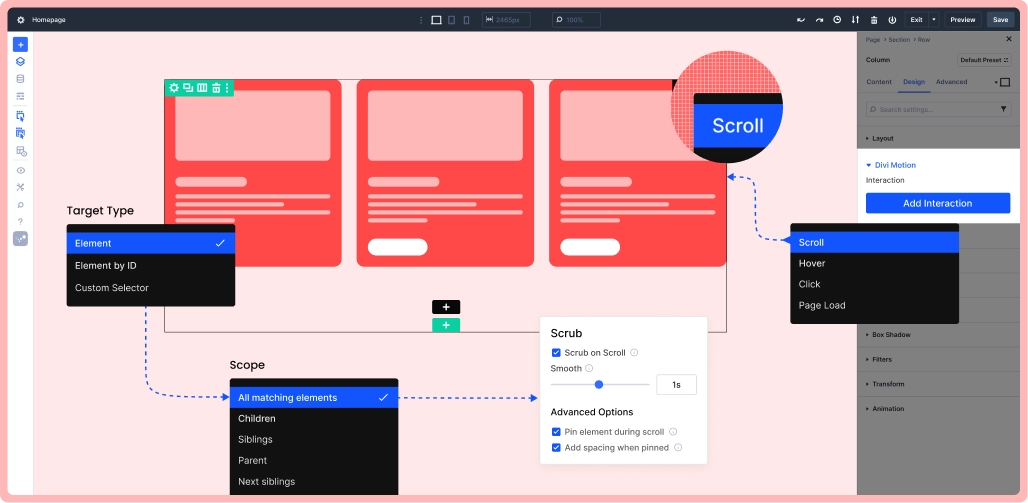
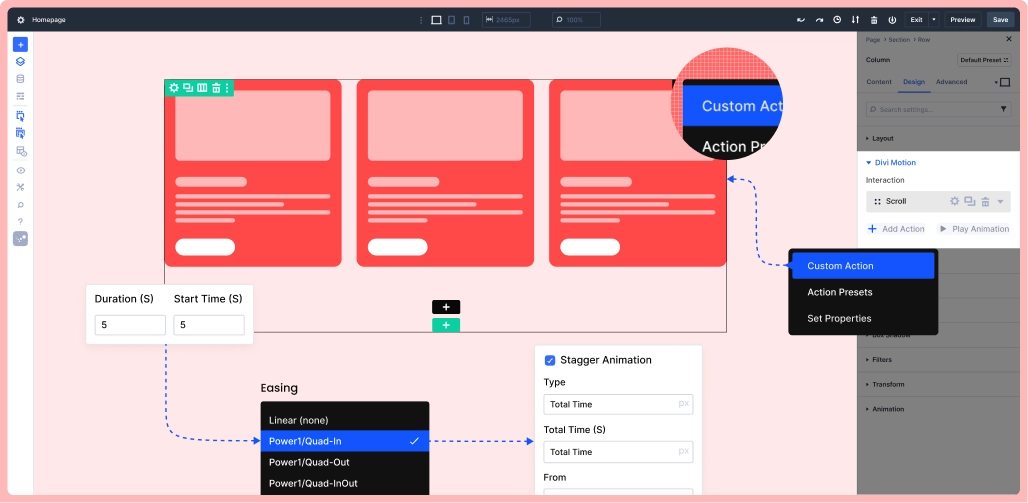
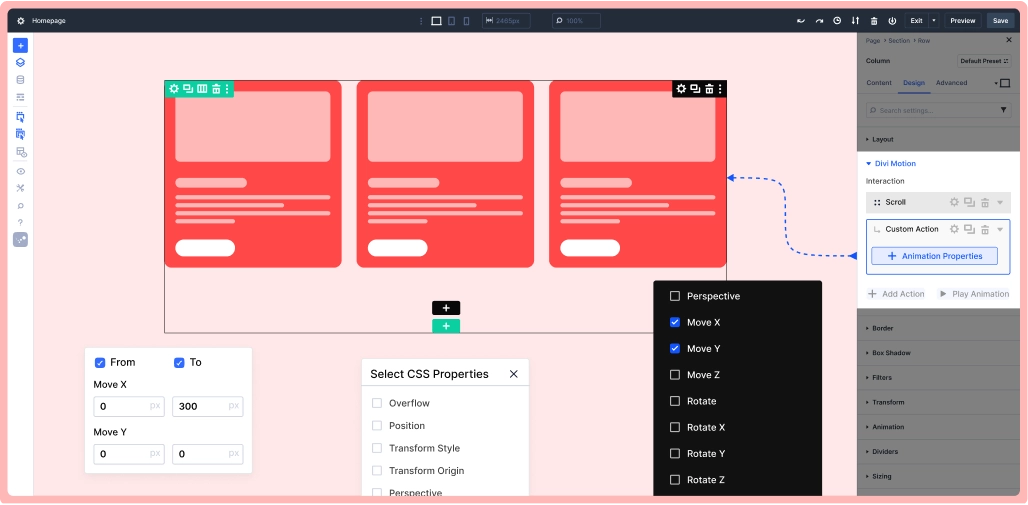
Add an Interaction
Start by adding an interaction to section, row, or column. The interaction defines when the animation should trigger—on scroll, hover, click, or page load.
Add an Interaction
Inside each interaction, add one or more actions. Actions define what happens—such as fading in, moving, scaling, rotating, or sequencing animations over time.
Add an Interaction
Choose the properties you want to animate—position, opacity, scale, rotation, color, and more. Set FROM and TO values to control exactly how elements animate.
Built for Performance, Precision, and Real-World Use
Performance & Foundation
Powered by GSAP — the industry-standard animation engine — DiviMotion keeps animations smooth, frame-perfect, and lightweight. Only what you build loads on the frontend, and native Divi 5 support ensures long-term compatibility as Divi evolves.
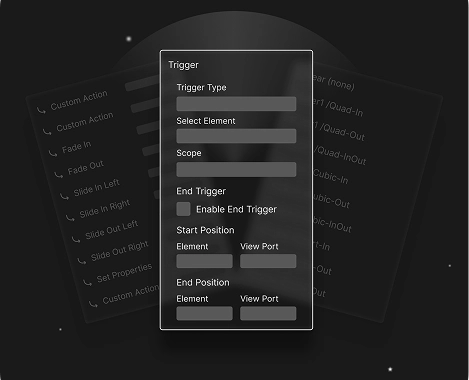
Precision & Control
Manage every animation on the page from one clean panel. Build multi-action sequences with full control over duration, delay, and order — then fine-tune motion feel using advanced easing options.
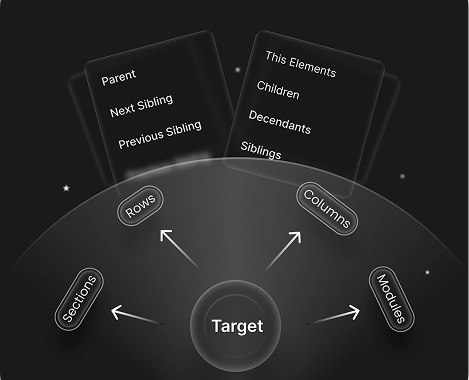
Targeting & Flexibility
Go beyond the trigger element — target any section, row, column, or module using selectors, IDs, and context-aware rules. Animate children, siblings, parents, or matching elements across your entire layout.
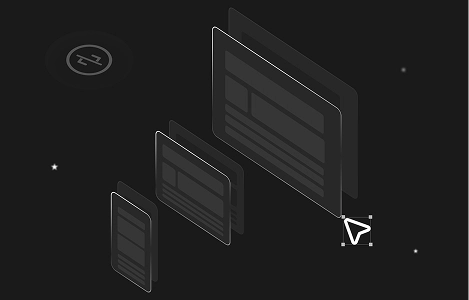
Builder-Friendly Workflow
Preview animations live inside the Visual Builder — no reloads, no interruptions. Build every effect visually without touching CSS or JavaScript, with per-device control over what plays on desktop, tablet, and mobile.
Presets & Templates
Hit the ground running with one-click presets — Fade, Slide, Scale, Rotate, Bounce, and more. Explore a growing library of 50+ professionally crafted motion templates for instant inspiration.
Built for Real Projects
Animate anything in Divi — every section, row, module, and element. Every effect renders consistently across all screen sizes, so what you build is exactly what your visitors see.
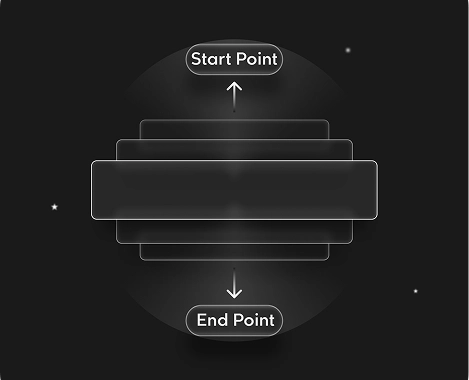
Scroll & Viewport Intelligence
Visual scroll markers show exactly where animations start and end on the page. Define precise trigger points and control how animations behave as elements enter and leave the viewport.
Targeting & Flexibility
Go beyond the trigger element — target any section, row, column, or module using selectors, IDs, and context-aware rules. Animate children, siblings, parents, or matching elements across your entire layout.
Scroll & Viewport Intelligence
Visual scroll markers show exactly where animations start and end on the page. Define precise trigger points and control how animations behave as elements enter and leave the viewport.
Why DiviMotion Instead of Divi Default Animations?
Divi includes basic animation and scroll effects and they’re great for simple use cases. DiviMotion is built for when you need more control, more flexibility, and more expressive motion—without leaving the Divi Builder.
Save Flat 50% OFF Before The Exclusive Launch Sale Ends!
Choose the plan that fits your need; every plan gives you full access to all DiviMotion features without limits.
Personal
For Individuals & Solopreneurs
$49.00
$24.50/Year
Renews at $24.50 annually; cancel anytime.
Professional
For Freelancers & Agencies
$79.00
$39.50/Year
Renews at $39.50 annually; cancel anytime.

Most Popular
Personal
For Individuals & Solopreneurs
$149.00
$74.50/One-Time
No renewals – lifetime access.
Professional
For Freelancers & Agencies
$249.00
$124.50/One-Time
No renewals – lifetime access.
Best Value
Best Value
From the Makers of Some of the Most Loved Divi Plugins
When we started building DiviMotion, the mission was clear — bring GSAP-level animation power to Divi without breaking the builder, bloating the site, or writing a single line of code. We weren’t interested in flashy effects for the sake of it. We wanted motion that feels intentional — smooth, fast, scalable, and deeply integrated with how Divi creators actually work. DiviMotion is that vision, built natively for Divi. And we’re just getting started.


Founder & CEO, DiviMotion

Explore
More About DiviMotion
Documentation

Video Guides

Community

Frequently Asked Questions
Still have questions? Email us at support@divimotion.com or use the chat box in the bottom right corner.
Is DiviMotion compatible with Divi 5?
Yes. DiviMotion is built specifically for Divi 5 and its modern React-based architecture. It is not compatible with Divi 4 or earlier versions.
Do I need coding knowledge to use DiviMotion?
Not at all. DiviMotion is completely visual. You can create advanced animations without writing a single line of CSS, JavaScript, or using timeline code.
How is DiviMotion different from Divi’s built-in animations?
Divi’s default animations work well for basic entrance effects. DiviMotion goes much further—enabling scroll-based motion, click and hover interactions, timeline animations, and layered sequences using GSAP precision. It’s animation without limits, built directly into the Divi Builder.
Will using DiviMotion slow down my website?
No. DiviMotion is performance-optimized and loads only what’s needed. It’s built for smooth, efficient animations that don’t weigh down your site.
Can I use DiviMotion on client websites?
Yes. Depending on your license, you can use DiviMotion on one or unlimited websites—including client projects.
Is DiviMotion beginner-friendly?
Absolutely. You can start fast with ready-made presets and templates, then explore more advanced motion techniques as you go. If you can use Divi, you can use DiviMotion.
Do you offer a money-back guarantee?
Yes. We offer a 30-days, no-questions-asked refund policy. If DiviMotion doesn’t work for you, we’ll make it right.
Can I upgrade my license later?
Yes. You can upgrade from a single site to unlimited, or from a yearly to lifetime plan anytime—just pay the difference.


We offer a 30-day money-back guarantee; so joining is completely risk-free.